01
Documents are scattered
Invoices hide in email threads, receipts live on phones, and statements arrive as unpredictable PDFs.
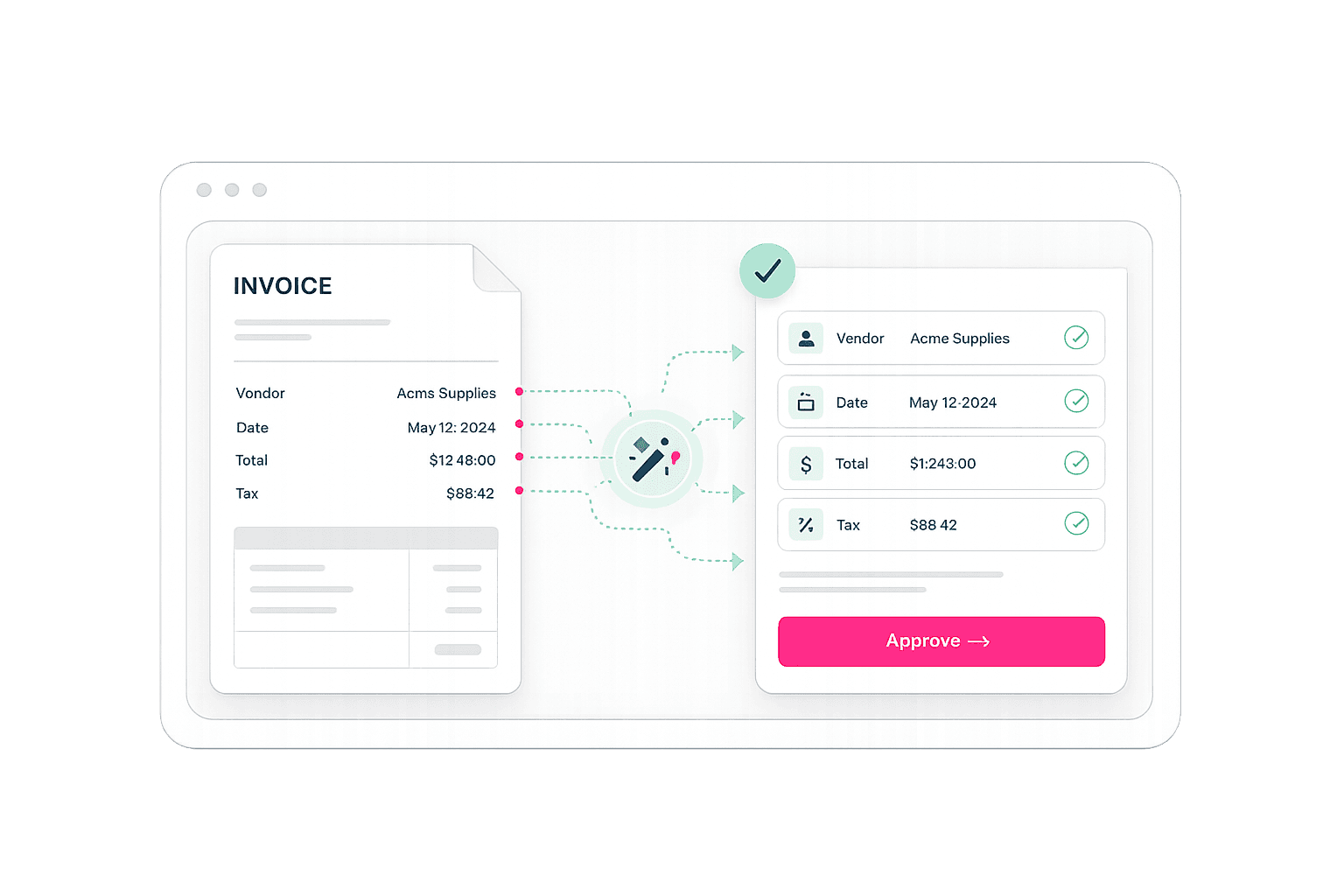
Filo finds invoices and receipts in your inbox or uploads, extracts the details, and creates ready-to-review entries in your accounting software.
Designed to fit into the accounting tools you already use

Filo brings invoices, receipts, and bank statements into one place, extracts the data, and prepares the accounting entries for review.
Invoices hide in email threads, receipts live on phones, and statements arrive as unpredictable PDFs.
Supplier, date, tax, totals, line items and account codes are retyped across systems, month after month.
Duplicates, missing fields and incorrect mappings slow down review and create avoidable cleanup at month-end.
Upload invoices, receipts, and bank statements—or let Filo find them in connected email inboxes.
Filo reads suppliers, dates, taxes, totals, line items, and bank transactions, then maps them to your accounts.
Check the entries that need attention, approve the rest, and send them to your accounting software.
Connect an email inbox and let Filo collect invoice and receipt attachments in one place.
Filo extracts the supplier, date, tax, total, and line items, then maps them to the right vendor, account, and tax code.
Filo flags uncertain fields, so bookkeepers can focus on exceptions instead of typing every transaction.
See the original document, extracted data, account mapping, and any fields that need review before posting.
Bring email attachments, manual uploads and bank statements into the same review workflow.
See extracted values, mappings and exceptions before anything reaches your accounting system.
Shift time away from repetitive entry and toward validation, reconciliation and client work.
Filo is being designed for invoices, receipts and bank statements, including PDFs and common image formats.
Yes. Connected inbox ingestion is part of the product direction, allowing Filo to surface relevant financial attachments in one queue.
You control the publishing workflow. Clean documents can be approved quickly, while uncertain fields are flagged for review.
The launch integration list is still being finalized. QuickBooks, Xero and flexible export options are part of the planned direction.
Get early access to collect, extract, code, and post invoices, receipts, and bank statements with less manual work.
Get early access