01
Invoices are scattered
Supplier invoices arrive across email threads, shared inboxes and manual uploads.
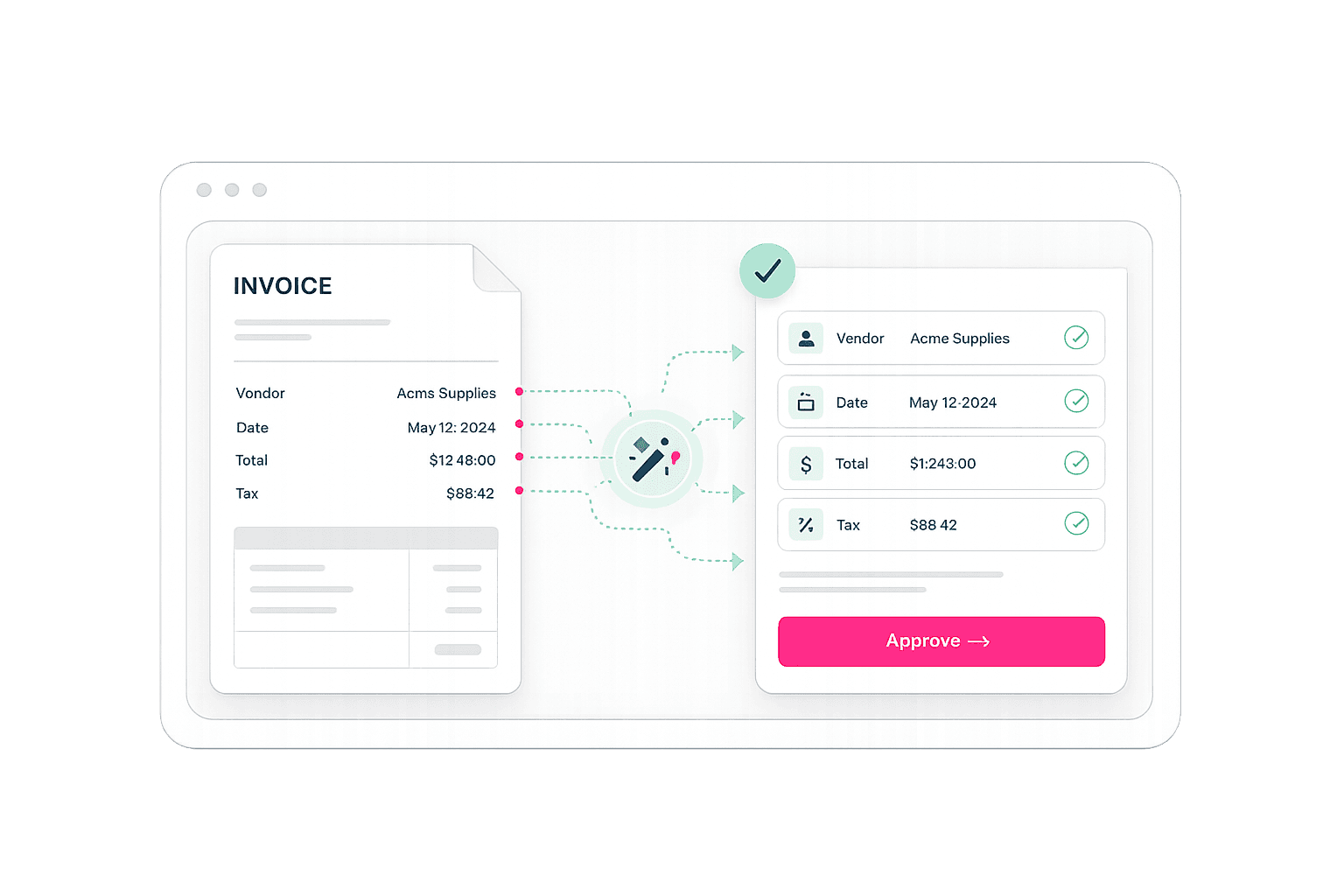
Filo collects invoices and receipts from your email or uploads, extracts supplier details, GST/QST, totals and account codes, and prepares ready-to-review entries for QuickBooks. Acomba support is in development.
Keep the accounting software you already use
 Available now
 In development
Filo is designed for Quebec businesses and bookkeepers who manually enter supplier invoices into QuickBooks or Acomba.
Supplier invoices arrive across email threads, shared inboxes and manual uploads.
Supplier, date, GST/QST, totals, line items and account codes are entered again and again.
Missing fields, duplicates and coding uncertainty create unnecessary cleanup at month-end.
Connect QuickBooks today. Acomba onboarding will become available as the integration is completed.
Filo finds invoice and receipt attachments automatically, while still accepting manual uploads.
Review the extracted details, approve the entry, and send it to your accounting workflow.
Connect an inbox and bring supplier documents into one review queue.
Filo reads supplier details, dates, GST/QST, totals and line items, then suggests the right vendor, account and tax code.
Filo highlights uncertain fields so your team reviews exceptions instead of typing every invoice.
See the original document, extracted values, coding suggestions and exceptions before anything reaches your books.
Bring email attachments and manual uploads into the same review workflow.
Validate extracted values and coding suggestions before publishing.
Spend more time on validation, reconciliation and client work.
Filo is focused on supplier invoices and receipts in PDF and common image formats.
Yes. Connect your mailbox and Filo brings relevant invoice and receipt attachments into one review queue.
No entry is posted without your approval. Filo prepares the entry and flags uncertain fields for review.
QuickBooks is available now. Acomba support is in active development, and Acomba users can apply for early access today.
No. Filo is built to work with QuickBooks and Acomba workflows.
Apply for early access, receive a personalized demo, preferred pricing for 12 months and guided onboarding from our team.
Apply for early access